
Patient Accounting
How does your Chiropractic Practice handle Patient Accounting? As a Chiropractor you know that accurate patient accounting is a very important part of creating a great patient experience in your office. For your office, how do you determine what your patient’s owe? When do they owe it? Why don’t they owe it yet? How do you determine where your dollars are outstanding? What would your patients think of your practice if you couldn’t provide this information to them within moments as they wait in front of you? Genesis Chiropractic Software has thought of these questions and the tools you need are just a few clicks away. Watch this Free 30 minute Webinar to find out more from Jason Barnes and to see exactly how it works. Learn how to use this tool to improve your patient accounting, your patient statements and ultimately your patient satisfaction. Enter your information and watch it immediately below. Read the transcript: Good afternoon and welcome, everybody. Jason Barnes with Genesis Chiropractic Software. It’s about two minutes past the hour, and we’re gonna get started in just a moment here. I’d like to thank everyone for joining us. Keep in mind that everyone is muted for this presentation so if you do have a question, I ask that you type it in so that I’ll get a notification and we’ll answer it as we are going. Feel free to type those in at any given point, and we’ll make sure to answer them as quickly as we can. So we’re just gonna give it another moment here, and we’ll get started. All right, guys, it’s four minutes past the hour. We’re gonna get going. Today, we are actually speaking about patient accounting. And I wanna make sure we go through a few things here when it comes to patient accounting and trying to understand exactly how your patients can understand a few things. Number one, what it is that they owe, number two, when they owe it, and number three, why don’t they owe it yet. And if that question at the end of this doesn’t make much sense, I’ll hopefully put the pieces together today while we’re talking. If there are other questions that you want answered throughout any portion of this presentation, feel free to type them in, and we’ll do our best to answer them today. Right now, though, we’re gonna get started with actually a brief overview of some reporting for the entire practice before we get into exactly what it is that’s outstanding for an individual patient. So patient accounting, I’m gonna blow up this for the presentation so that you guys can see it a little bit more easily. But first, I wanted to go into a few reports. First, we go to reports, our billing analytics, and we can go to what’s called our accounts receivable or AR breakdown. When we bring up this particular report, it’s going to give us the breakdown of where our dollars are outstanding. Our total accounts receivable balance for the first one is representing our insurance accounts receivable, our patient balance, how much money is sitting there in claims that need to be addressed on our workbench, special projects. Collections is a status so if a line item on a patient account is in collections status, that means that that particular balance has been sent or is designated for a collection agency. And then added all those up in the last column is the total. That AR breakdown allows you to see, and you can drill into that number and see that there are 695 claims for this particular example that actually make up that balance of $78,000. So you can sort this, you can filter by it, you can do greater than or less than. So if you wanna look at amounts greater or less than, you know, let’s just say $100, you’re able to do that. So any amount less than $100 or any amount greater than $100, you’re able to do that within these fields at the top of this pop-up report for your accounts receivable breakdown. Why do you wanna know these things? Keeping a finger on the pulse of how much, in a way, a patient balance is is important. There can be thresholds you can set for yourself of what is or isn’t acceptable. And today, we’re going to hint at the fact that we really like to see policies and procedures put in place. If you go over here to your search patient feature, simply click on search and patient, that gives you a number of options as well. So if I don’t look at anything else and I just simply click on a search which is going to search for all of them, it’s gonna give you all open patients and their patient balance here in the right hand corner. If I wanna search for people that have been seen in the last 120 days with a balance only, I can then search for those patients as well, and it goes from 2,200 in our demonstration account down to 174 patients. And you can actually see that these are sorted into the balances which are the highest on the right-hand side. And I wanna make sure that you guys understand that these tools are meant for you to be able to identify those patients, but in no way, shape, or form is this the best way or the best practice that Genesis is going to recommend to handle these balances. And so we’re gonna get into this process a little more as we’re moving forward here. But to start out, to recap the big picture, you wanna be able to look at your accounts receivable breakdown to see how much in the way of patient balances are actually existing as a total for your practice. And keep in mind that this is regardless of the data service. This can be 10 years old, 2 years old, or 2
WebExercises is Integrated into Your Patient Accounts

How does your Chiropractic Practice recommend exercise routines to your Patients? Webexercises works. As a Chiropractor you know that patient exercise will greatly improve your patient outcomes. Patients get better faster with exercises but it’s a hassle to tell them which exercises, how many, how long, how to do them, etc. What do you do? Do you hand them a paper that’s been copied so many times that the letters are starting to be colored in? Shouldn’t there be a more efficient way to recommend exercises using technology? There is! Webexercises has been integrated into each of your patient’s accounts within Genesis Chiropractic Software. With a few clicks of your mouse, you can choose the patient’s problem and the appropriate exercises are automatically pulled-up to help the problem. Then you can email it directly to your patient from the same screen. How easy is that? Watch this Free 30 minute Webinar to find out more from Dr. David Cruz and to see exactly how it works. Learn how to use this tool to improve your patient outcomes and you might even impress them with the email exercises from your office. Enter your information and watch it now below. Read the transcript: Jason: All right then, it’s about four minutes past the hour so we’re gonna get started. I’ll introduce myself, Jason Barnes, Chief Operating Officer with Genesis Chiropractic Software. I’d like to thank everyone for joining us this afternoon. We do this pretty much every Tuesday so I know I see some familiar people who join us each week, so welcome. And for those people who might be joining us for the first time, excited to introduce a topic and a guest today. So a little bit of background information, I like to think we’re good at a lot of things here at Genesis, but we know we’re not good at everything. And so we listened to the suggestion of our providers and our providers have been asking us for tools that they can use to help talk to their patients, teach their patients, empower their patients. And well-informed patients, excited patients, ones who have better tools in their hands, we know stay with the practice longer and have a much higher tendency to refer their friends, family, colleagues, etc. And so today, I’m really excited to bring to you a response to a number of requests and something we know that will help you do just that with your patients, and that’s an integration between Genesis Chiropractic Software and WebExercises. And what I’m really excited about is all the work that’s going into this between our two organizations and how that work together is going to help you. So today we’re gonna find out what problems we’re gonna solve with how patients can take information that you want them to have for both clinical treatments as well as things they can do just to improve functional aspect to their lives. And to do that I need to introduce Dr. David Cruz who is the President and CEO of WebExercises. And not to mention that he actually is a chiropractor and actually ran his own practice successfully for a long, long time. He’s passionate about this topic, so I won’t do too much more in the way of introduction, but I want him to do all the speaking for his own merit because frankly, I’ve talked to him a few times now and he knows exactly what he’s doing and so I’m gonna introduce one of founders and President of WebExercises. David: Hey, thank you there. I appreciate that intro and really excited to be here and really excited to be working with Genesis and Vericle on the integration. A lot of work went in so we’re excited to get this going. As Jason was saying, I did practice for about 18 years. I had a sports medicine practice and the foundation of WebExercises really came at a point about 11, 12 years ago to where, how can I do a better job with regards to engaging patients, getting them to do active care? Because when you combine active care with chiropractic, there’s nothing better in the literature that is gonna show with regards to outcomes. But there’s always the challenge of there’s only so much time you have with regards to trying to get them the right exercises, reviewing the exercises. How do I connect with them, and how do I just reconnect with them? So that was really the impetus and that was the start of WebExercises that, again, I started the company about 11 years ago. So what I wanna do is just go through a brief PowerPoint just kind of highlighting some really I think important points with regards to exercise and chiropractic. And then really just taking you into the software and give you a demo and a feel of exactly what it is and how it can be utilized. Hey, Jason, we’re getting some feedback. I don’t know if that’s on your end? Jason: It’s gotta be me. I’m the only one who’s not muted, so I’ll mute myself. And I’ll make just make one announcement. If there’s any question that people have, we ask that you type them in. And we’ll answer them, and I’ll mute myself. And I apologize for that, Dave. We’ll get started. Dr. Cruz: No worries. So as I mentioned I wanna go through a couple slides just to kind of frame up what we’re gonna talk about with the demo and really kind of just dive straight into this great [SP] software integration to show you how it can improve your practice with regards to efficiency, even generate some revenue through active care, how to engage patients, and how to re-engage patients. So one thing I like to start with is just from a historical perspective. So often it’s thought of as chiropractic and exercise are two different things, and it’s more of a newer concept. But
With Genesis, Patient Retention is Automatic

The patient pool is something that constantly needs to be re-filled for many Chiropractors. It is a never-ending process of finding new patients to replace the ones who have left your practice. This creates a continuous area of work for you, as the doctor. You not only have to handle patient treatment, you are the staff and office manager, the record keeper, the financial manager, and the patient recruiter. Wouldn’t it be easier if once you had a patient, you had an automated system to keep that patient? Wouldn’t it be better if you had a simple way to make sure that every patient became an educated patient, who understood the value of maintenance care to ensure their optimal health? How much easier would your day-to-day practice management be if patient activities were automatic? One of the most valuable steps you can take in your practice is to automate your patient retention. When you are not constantly having to refill your patient pool, you practice can truly grow. The problem is that in many practices, patient retention is another activity that is memory managed and often forgotten until you are trying to discover the reason that you have lost yet another patient. Let’s take a quick look at what activities are necessary for patient retention. The most obvious one is patient education. Have you done everything to ensure that your patient understands the benefit of Chiropractic in their life? Not just how it helps them get out of pain but how Chiropractic can help them reach and maintain optimal health? This area of patient retention can often be neglected, especially when your practice becomes busier and you are seeing a high volume of patients every day. But, there is even more to patient retention than educating them on Chiropractic. Each interaction that you and your staff have with a patient influences whether or not they will continue care, how they feel about your practice, and the value they place on their care. From how your staff greets them when they walk in the door, to how their billing is handled, to making sure re-exams are scheduled, and follow-up calls are completed, every interaction has an effect on patient retention. With that said, how do you develop and maintain a positive experience so that patients know that they are valued, understand the importance of care, and continue seeing you? The answer may be easier than you think. By automating your retention system with Genesis Chiropractic software, you can take the memory management out of patient retention. By automating your retention system with Genesis Chiropractic software, you can take the memory management out of patient retention. I first developed the software for use in my own practice when I discovered that my patients were falling off of care and I did not know why until it was too late. I realized that trying to remember everything and everyone was not working. There were too many tasks each day that were being forgotten, lost in the shuffle, or just not performed as effectively as possible. Because of this, patient retention was haphazard at best and I set out to find a better way. Genesis software was the answer to the problem of patient retention in my practice. It automated every task and ensured that they were assigned to the best person to complete them. At the end of the day, it boiled everything down to one number for me, so that I knew whether or not every activity involved in patient management and retention had been completed or not. It took the guesswork out of patient retention and turned it into an automated system in my practice. It can do the same for you. The value generated by automating patient retention goes beyond just increased revenue. Yes, increasing patient retention means increased financial gains in your practice, but it also means peace of mind, and the freedom to move past hit or miss memory management. Isn’t it about time you moved past memory management in your practice and automated your patient retention?
How do you retain your patients?

Retain your Patients! How do you determine your chiropractic patients are at risk of missing their appointments? To retain your patients, you need a plan. How can you see what the trend is for your office? Can you find this information in reports? Probably, but you have dig deeply into them to find the information and then you have to take action on it by assigning follow-up to your staff. There must be an easier way to do this automatically and Genesis Chiropractic Software has it built-in for you! Learn how you can use alerts, notifications and the radar chart in addition to reports to retain your patients. The radar chart uses two time periods to compare several of your metrics. This lets you see if you’re meeting your goals with a quick glance at the graph. Alerts and notifications will let you create pop-up messages on the schedule to inform you when a patient has no future appointments or their care plan is running out of visits. Using these tools is how you automatically retain your patients. These will allow tasks to be created and those will prompt your staff to follow-up with those patients. To retain a patient is much less expensive than advertising to attract new patients. Learn more about patient retention with the free webinar that can be viewed right on this page. Enter your information and watch it now. Read the transcript: Jason: All right, it’s four minutes past the hour, Jess. I think it’s time to kick this off. Let’s share, and…perfect. Well, as all of our notifications said, today’s topic is on patient retention and, more specifically, really, how you can use alerts and notifications, and the big graphic up on the screen called your radar chart, we call it the radar chart, anyway, in addition to reports. So, we’re gonna start by talking about, you know, the problem that we’re trying to solve is, you’ve got a patient that walks through the door, how many of those patients are you able to retain? And everybody knows that this is the lifeblood of your practice, and yet we see so many practices, I was looking at one earlier this morning, Jess, just telling you about it, that’s averaging, over the last year, over 50 new patients a month, yet their visit counts remain stable. They’re plateaued. You know, with minor fluctuations. So, how do we avoid that? You have to change something, right? You’ve got to do something differently in your practice in order to do that, and step number one is figuring out how on Earth you can recognize which patients are at risk. And so, first of all, we wanna talk about how you can see what your trend is, how is it that you’re doing? And a lot of times, you think to yourself, “I’ve got to go digging deep within the bowels of the system to find all of the relevant reports,” and I’d like to point out, Jess, that’s it’s not really the case, is it? Jessica: No. Jason: So, what we’re showing here is, what we refer to as that radar chart. And just for one moment, Jess, would you mind ex-ing out of it and just showing them? This is on your homepage when you login. If you don’t see it, then you’re among the few that have not switched over and that center portion, pretty much, is just the place where you’ve been opening tasks, and it should have an option for you to, you know, show me my health monitor. Jessica: Yeah. It’s a blue link up at the top. It says, “Show me my practice health monitor.” Jason: Perfect. You click that, and the problem is, when you first look at it, it won’t be configured. So, we’re gonna need to do a little bit extra in order for this one to be meaningful, but I’d like to show you how meaningful it is now. So, pop it back out again, Jess, if you don’t mind. So, first is, what are we looking at? This allows you to look at a graph that’s a circle, and each one of the metrics ends up being an axis on this circle, such as new patients. You know, for this particular practice, our demo practice, they had 18 patients one month and they had 14 patients the next month. If you look at the upper-right-hand corner of the popout, those months and their corresponding colors, which Jess is highlighting right now, are there. So, July of 2013, all the way through April of 2016. I know it’ll be a little ridiculous, Jess, but if you don’t mind clicking on the metric, I’d appreciate it. It also will graph out exactly what your data points were between that time, and right now we’re looking at this on monthly basis. I don’t think it’s necessary to do it weekly or daily for this particular metric given the time span that we’ve got, but it will give you all of the data points. You know, for this practice, obviously, you can see that it was doing well and then it stopped doing well. But if it’s your practice and that was the case, you’d know about it. You don’t have to go digging too deeply. Close that one popup. But the one thing you should notice when looking at new patients is, along that new-patient axis, you’ll see two points, one in green and one, I think purple, you can call that color? Jessica: Yeah. Jason: Yeah? So, the one in purple is toward the outer edge of the circle, and the one in green is a little bit less than halfway, we’ll call that. And that is actually an indication of performance based on a goal set. So, when I said “configured,” that configuration will actually tell you how you’re doing according to what goals you’ve set for your practice. So, in this particular case, let’s just
Patient Retention Automation for Chiropractors
Patient Retention Automation View this free 30 minute webinar to see how to automate retaining your patients. To retain patients you need to educate, sell, communicate, track, measure, follow-up and solicit referrals. Our chiropractic software incorporates built-in patient education and patient communication via email, text and phone calls that can be automated to fit your needs. Our software also allows you to track your metrics, measure them and follow-up too. If you can use all of these features, or at least several of them, then retaining your patients will increase.
Chiropractic Patient Retention Tips
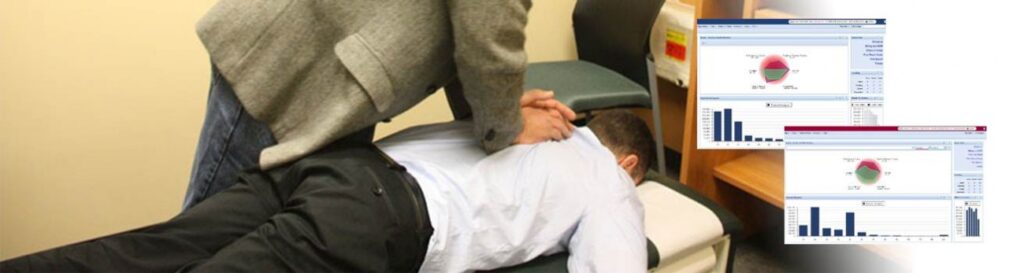
Retain your Patience and your Patients! Patient Retention: View this free 30 minute webinar to see how to retain your patients and keep your patience. For patient retention you need to educate, sell, communicate, track, measure, follow-up and solicit referrals. Genesis Chiropractic Software incorporates built-in patient education and patient communication via email, text and phone calls that can be automated to fit your needs. Our software also allows you to track your metrics, measure them and follow-up too. If you can use all of these features, or at least several of them, then your patient retention will increase. Read the transcript: Jason: Welcome everybody. Let’s get started. It’s always good to be here every week. I love the feedback we get after the webinars. Even some of the constructive criticism that we’ve gotten last couple of weeks has led to some great internal discussions and even some good client-facing discussions about how we can make certain aspects of our interface better. So I would like to open today with soliciting anybody who does see this, let us know. There’s something you like, we’d love to hear that. But more importantly, if there’s something we can make better, we would love to hear that as well. One more introduction, I’ve got Jessica Pancoast through the head of our help desk and our training team here. My name’s Jason Barnes. I’m the chief operating officer. And today our subject matter is near and dear to my heart because it’s the one thing every provider tells us that their primary focus is, and that is retaining patients. So, we wanna make sure we talk about retaining patients in two different ways: reports, and the actual work of retaining patients. Whenever somebody new comes on board, they often ask me, “Jas, what reports do you have?” It’s always a question that somebody asks us. I mean, you’ve been in a lot of those conversations as well and you’re smirking and smiling for those people who are just listening. Why are you smirking and smiling? Jessica: Because if you go to our report list, you’ll see we have a lot of reports. Jason: And the reason behind having a lot of reports is a lot of them are very useful. And for years, that’s how people managed their practice, they managed reports. And I can’t stress to you enough how valuable reports can be when you’re diagnosing a problem. You can’t do it. I’m on the phone with a provider today talking about low collections and we had all the right reports to get there and refute some of the claims for low collections, you know, for Blue Cross Blue Shield, and acknowledge some of them as being totally valid for their personal injuries. The reports were the only tool that allow us to actually diagnose whether or not these collections were low. But with patient retention, that’s a different ballgame. We’ve got reports. We got a No Show Report. We’ve got a report for your patients who leave your office without future appointments. Those are the two biggies. You have other reports that you could look at and talk about compliance. Say, “Hey, I’ve got a 60-visit care plan. You know, how many visits out of that care plan were missed or made?” You know, those are other ways of looking at it and there are even different reports which we could focus on. You know, how many new patients show up for the third visit? There’s a big one we get. You know, they come for their evaluation, they came for the report or findings, but they didn’t make it to the actual treatment portion. It happens. You get them talking about what the cost is, what the investment is going to be for patients, and that can really change things. Without those numbers, without those statistics, I know practices are basically paralyzed with what part of their process to actually fix. I definitely love reports. And there are some aspects of reports that I loathe, I hate. Because they look at a process that might be broken. And I’ll just talk about no shows because it’s going to be one of the focuses of today’s presentation. No shows are a big problem for practices. We see practices with up to 50, even 60% no show rates and those are caused by one of two things. One, do they have a scheduling policy that’s really loose? “Hey, we’re going to put you down on an appointment for next week. You know, show up, don’t show up, just call us. Let us know.” We have lots of practices to do that. Do I want to tell that doctor how to practice? To everyone listening to this, no. I have no intention. And Jess, let me check with you, you want to tell that doctor how to practice? Jessica: No. Not at all. Jason: No. Not our intention whatsoever. But we can’t measure how well that practice is doing at retaining those patients if we don’t have some sort of standard that we can rely on in the practice as far as scheduling. And the other reason is, and the more dreaded one is, they just didn’t show up. Why didn’t they show up? Oh, the spectrum of reasons is too big to actually speak out but there are only two reasons. They physically couldn’t, because of a legitimate excuse or they’re just not coming back. Which is which? I don’t think any provider I’ve ever spoken to actually cares. The action needed in that situation is for that patient to be contacted and confirmation that the patient’s coming back to be garnered by a staff member or the doctor themselves. That’s the desired result of any time a patient no shows. When a patient leaves your office without a future appointment, our statistics show that that patient is twice as likely as the patient who leaves the office with an appointment, literally, twice
Create Checklists for your Patients

Checklists for Chiropractic Patients mean a consistent Patient Experience View this free webinar to see how to create checklists for your patients. Why do you need a checklist? Because there are too many steps involved for your staff to deliver the best Patient Experience possible. How many patients come through your door each day? How many steps are involved for Day 1? How many steps are involved for Day 2? If a step is missed, how will your patient feel? If everything possible is done for your patient, then how will they feel about your practice? They will love you and they will refer their friends and their family. Create a checklist of every step involved and then you can assign each step to a staff member for each Day 1 patient intake. Then that checklist can be launched with one click when the patient checks-in. Each step is automatically assigned to the appropriate staff member and then they must complete the task. The practice owner can see at a glance if every staff member has completed their tasks for the day, so the owner can go home with the peace-of-mind that everything has been done that had to be done, for every patient. Then your staff shares in that peace-of-mind that their work is done. [sc name=”schedule-a-demo”][/sc] [/vc_column_text][vc_column_text]Read the transcript: Jason: All right. Welcome. We’re gonna kick off. For those of you just joined us, my name’s Jason Barnes. And I’m here joined by the head of our…both our training team as well as our Help Desk, Jessica Pancoast. And today we’re gonna talk about…so I’ll talk about the feature but we’re gonna get mostly into why this feature involves great practice management and making sure that your patients get the same health care delivered to them day in and day out. So healthcare delivery is not just, you know, treating a patient but it’s also making sure that the right things happen to the patient, gains an understanding of why they’re there, what is their experience is gonna be like, and then duplicating it over and over and over again. So that’s what today’s topic is, and our webinar for this week. So to kick that off, I’m gonna bring up the term “checklist”. I’ve been to many practices across this great land have seen lots of checklists. I know you have as well. What form did you see them in? Jessica: Paper. Jason: Paper? Jessica: Post-it note. Jason: Post-it notes are my favorite. Post-it notes. And where are those post-it notes located? Jessica: Usually around the monitor. Jason: The monitor has been the place. But I actually see them on paper charts as well. I see them on doors. I’ve actually seen one stuck to a kid. All right. Where these are the things that need to get done with this kid, and that was only one time. It was in Texas and the kid didn’t mind. But there’s a better way. What kinds of things need to happen for a patient? Well, we’re gonna explore that for just a moment or two here. And Jess, while we’re doing that, you mind finding that day one? Check those so we can look at it. And what kind of things have to happen to your patients? Verifications. Patient comes in. You want to make sure that if they have insurance to, you know, “Can they use it? What’s their deductible?” You know, so the doctor knows when they go to have a financial discussion with that patient. You know, what’s happening? I’m not gonna put a comprehensive list together today as an example, but we are going to start talking about the things that need to happen. Scheduling, treatment plans needed to be given, do they need to sign waivers or ABNs. Whatever has to happen for that patient, it’s usually not a list of two or three things, but a list of 10 plus things. How many times does it have to happen? It has to happen with every patient. There’s no time that you want a patient to miss that process. Even if a step doesn’t apply to them, like an ABM because they’re not a Medicare patient, it’s not the worst thing in the world to make sure that we have a task list listed for that patient. So most of the clients that come and talk to us are ones who have those checklists via paper or we didn’t talk about the most dreaded way, Jess, just committed to memory. I knew you’d get it. Committed to memory, right? How did the practice owner, how does an office manager, how does a staff member remember all those steps that need to happen? They’re on the mission. They’re there for the right reasons, but it doesn’t mean that it’s going to happen every single time. There’s too many things that happen in a busy practice for someone to competently and very systematically remember every step that needs to happen. So, we wanna show you today how you’ll address missed steps in your patient health care delivery process. Is it foolproof? No. But is this provided a much, much better automated framework for you and your staff to do two things, remember the steps and then measure which steps are or are not being completed for those patients. So that’s gonna be the rest of the focus today. So we wanna make sure that every single patient gets their insurance verified. Every single patient has a recorded finding schedule. Every single patient has a care plan put in there. Every single patient signs all the things that they need to sign. Every single patient has a tour of the office, if that’s something that you wanna have happen. It can be customized for the patient process that you would like to have happen. Now today, I’m only talking about…patients are accusing me right now while I’m talking about patients. These checklists can apply to a
Care Plans for Chiropractic Patients
Learn how to create Care Plans for Chiropractic Patients View this free webinar to see how to create care plans for your patients and then you can apply automation to them. Automatic care plans will save you a lot of time and you won’t have to memory manage any of it. You can even setup a notification when visits are running out. Plus, projecting staffing and cash flow levels will be easier and more accurate. These care plans are a financial commitment plan for your patients and not a treatment plan of care. Read the transcript: Jason: Welcome and good afternoon everyone. We’re excited to have everyone here today, and as always, it’s Jessica Pancoast here with me, Jason Barnes, and today, we’re excited to be talking to you about care plans. And we’re going to spend about 20 minutes or so on a review of care plans, how they work, what their purpose is, and basically how they can help you foster better relationships with your parents, or with your patients. Little Freudian slip there never hurt. I would like your relationships with your parents to be good as well. But we’re gonna give this a couple of minutes before we get started. In the meantime, we see people, you know, logging in, dialing in. Make sure that if you have any questions, you type them in. Well, it’s a few minutes past the hour, so we’re actually gonna get started today. So to begin with, we’ve got a mission here to help two things, practices accomplish two things. You usually set financial goals which we end up focusing a lot on, but another thing that we do is trying to help them set goals for the amount of time it takes to manage their practice and the amount of effort that they have to put into helping their practice grow and hitting those financial goals. The same thing can be said for care plans. You want a patient to do two things. You want them to get better and you want them to tell other people about it. Well, one of the things that care plans can do is remove some of the doubt and some of the mystery about what a patient is gonna have to do to not only make a financial commitment but also a time commitment to get better. So this…understanding care plans helps with growing your practice, helping patients feel better with regards to their care plans, and helping them understand how their treatment plan is going to work. So to get started, what is a care plan in our system? I want to separate that from anything clinical. It is not how you’re going to treat the patient. I’m sorry, I got something in my throat here. This particular care plan is all about how on earth your patient is going to perceive their commitment, both financially as well as from a time standpoint. So the first thing a care plan is a financial commitment with the patient. Now, a financial commitment can be done in a number of different ways and one of the things that we’re gonna go over is how you can actually configure that financial agreement today. The second thing is that patient is going to typically come in for x number of visits. We see care plans range from 12 visits to 80 visits. But most of them incorporate some sort of step down program. We’re gonna get into that in a little bit more detail where the patient comes in on a weekly basis, maybe three to four times a week in the beginning and at the end of a traditional care plan they end up coming in once every two weeks or maybe even once a month. So these care plans can not only span a number of visits but longer periods of times ranging, you know, for six months, even a year in certain cases. Helping a patient make that one-time commitment, both financially as well as from a time standpoint, helps the doctor to gauge how progress is being made as well as the compliance with that care plan as the patient journeys through his practice and that care plan, to better health. So today, we’re gonna view how the Verical [SP] system can help a practice owner and staff, everyone understands how to help that patient make those agreements and commitments and track them. Jess, anything to add about what a care plan does? Jessica: No, I think that covered it. Jason: Awesome. So to get started we’re actually going to jump right into the system, many of you will notice that we’re looking at a schedule right now. The patient walks through the door, Jess, they’ve never been seen before. You usually don’t put a care plan together, you know, before a patient starts. They’re gonna come in. Some doctors do it at the end of a first visit. Some of them do it the second visit. Some of them make this at the third or in the fourth visits to do it. It really doesn’t matter how the doctor goes about planning to implement the care plan. However, dates are really important and when you start that care plan we want to make sure that everybody who is listening to this and watching this, understands that timeframe that you put the care plan in place for does not retroactively go back and look at previously billed visits. So this is something that I see very often, that people forget, so I’m just mentioning that here in the beginning of this broadcast so that everyone, as they’re listening, will hear us as we start to actually create a care plan. So that’s what we’re gonna do. We’re gonna create a care plan right now. We’re gonna review a care plan. We’re actually gonna talk about transitions from insurance over to cash, from cash to insurance, you know, from acute care
Handling the Mission Critical Points of the Chiropractic Patient Experience

In a previous blog article, we talked about how using proactive Chiropractic software to quantify and improve the patient experience can take your practice to a new level. Chiropractic software can do this by handling the mission critical points of the patient experience, making sure that no detail is missed. So, what does mission critical mean when we’re talking about the chiropractic patient experience? Mission critical points for your practice are things that you have to follow-up with in real time or risk losing your patient. Every task performed by you and your staff each day, from scheduling to billing, inventory, collecting recurring cash payments, etc. From the first exam to following up on chiropractic insurance claims will have an impact on the experience your patients have in your office and will determine whether they continue with or drop out of care. Think about how many tasks you and your staff must perform each day to achieve a perfect patient care experience. Exams, adjustments, chiropractic SOAP notes, diagnosis codes, billing, taking patient payments, credit card on file, asking for referrals, scheduling future visits, and following up on no-shows and expired care plans are just a few of the mission critical points your practice experiences every day. These all have to be monitored in real time or the patient experience suffers. To retain just one chiropractic patient, there are an estimated 331 tasks that have to happen perfectly every single time. But, why are these tasks mission critical? Let’s take no-shows as an example. What does a no-show really mean to not only your business but to your patient. If a patient was going in for chemotherapy and they had to miss a visit, would they be waiting for you to call them to reschedule that visit? Absolutely not. Would they walk out of chemotherapy forgetting to schedule their next visits? Or, would they reach the end of their treatment, get their testing done, and not follow-up to get their doctor’s recommendations for the next phase of their care. Never…it is too important to them. So, when a patient in your chiropractic practice no-shows for a visit, walks out without a future appointment, or is not excited about their re-exam, what are they telling you? They are telling you that they don’t value their care. It is no longer important to them. They are telling you that they don’t value their care. Patients visit a Chiropractor and sign up for chiropractic care for the right reasons. They don’t sign up for 36 visits if they don’t understand the value Chiropractic brings to their lives. The problem is that they forget. And, they don’t tell you they have forgotten. They show you they have forgotten by not showing up for their appointments and forgetting to schedule new ones. If you don’t monitor and follow-up on these things in real time, you are in immediate danger of losing that patient. This is mission critical. A proactive Chiropractic software, like Genesis Chiropractic Software brings real value to your practice by monitoring each and every mission critical point in real time. It ensures that every one of those 331 tasks that have to be performed to retain each patient are not only assigned to the best staff member to handle them but also have been completed, giving you the ability to create an outstanding patient experience. Managing these mission critical points is the ultimate key to building patient loyalty, boosting patient retention, decreasing staff frustrations, increasing referrals and dramatically increasing the revenue per patient on average.
Chiropractic Software ROI Increases with Higher Patient Retention

We’ve talked about how important the patient experience is to the success of your practice. We’ve also discussed how using proactive Chiropractic software and technology to quantify and improve that experience helps you to run your practice at the level of big business. Now, let’s look at it from a purely marketing perspective and break down your Chiropractic software ROI (Return On Investment). Most already know what return on investment is. For example, if you gave me one dollar and I gave you back five dollars that would be a 5 times return on investment, a good ROI. But, if you gave me five dollars and I gave you back only one dollar that would be a bad return on investment. Almost every Chiropractor knows that they should be calculating their return on investment when they put an ad in the paper or send out a mailer. However, what these same Chiropractors don’t realize, is that they need to calculate their cost of marketing and getting new patients versus their Chiropractic software ROI of increasing patient retention. According to Harvard Business Review, it costs you five times more to get new patients than it does to retain patients you already have. Five times more. So, what does that mean? It means that you give me five dollars and I give you back one dollar – a bad return on investment. Bringing in new patients is five times more costly than utilizing a solid patient retention program. Yet ironically, most Chiropractic marketing software and systems focus on increasing the number of new patients rather than boosting your patient retention. It is interesting that the best businesses in the world are also the best at customer retention. Take the Ritz Carlton for example. Every single thing they do is broken down into small steps to ensure no detail is missed, every customer experience is personalized, and each person that stays at the Ritz receives the ultimate gold-standard care. The Ritz Carlton focuses on customer retention and in return achieves a huge return on investment with customers who return time and time again, happy to pay their five hundred dollars plus rate per night. It is time for Chiropractors to understand what the largest, most successful businesses in the world already know…retaining your current customers or patients equals a higher return on investment than marketing for new customers or patients, a five times higher ROI. This means that increasing patient retention by focusing on improving the patient experience is vital to achieving success in your practice. Any business person knows that you put your money where you will achieve the highest return on investment. For Chiropractors, the greatest ROI is not found in new patient marketing where most of the marketing dollars have traditionally been spent. Instead, investing in a solid patient retention program, similar to the Ritz Carlton, where each step of the patient experience is broken down and quantified so that no detail is missed, will generate the highest possible return on investment for your practice. Don’t miss our next post where we will discuss managing the mission critical points of the patient care experience.
