
Chiropractic Documentation Fast and Compliant Notes
Fast and Compliant Notes for Chiropractic Practices Documenting cases quickly while remaining compliant with both insurance and government regulations seems like an impossible task. Especially when you factor in the images, forms, tests and more that go into proper documentation. Fortunately, it’s now possible to compile all the information you need, quickly, from a single screen. Watch this webinar to find out how! Read the transcript: Reuven: Welcome to Genesis’s webinar on compliance. Today we’re gonna talk about the travel card. My name is Reuven Lirov. I am currently the Chief Growth Officer and I work with over 500 practices and more than 1,600 practice staff across multiple specialties. My team posts more than $10 million in monthly insurance payments, focusing on finding ways to accelerate practice cash flow, improve compliance, and foster office staff teamwork. In the past 5 years, our clients have seen an average revenue growth of over 186%, patient visit growth of over 141%, and an 86% increase in patient visit compliance. So let’s get right down to it. Really what we wanna talk about today is the need to be able to complete and review documentation as quickly as possible. And this is a need that comes up all the time. Anytime we talk to some who is struggling with their current solution opening a new office, expanding their office and needs something that’s more scalable, the biggest problem they have is that they wanna spend more time with their patients, less time in a solution, and they wanna still stay 100% compliant with state insurance and federal requirements. So it’s a really difficult problem to solve, and each issue plays into the other. So this problem is really critically important because documentation obviously is a critical component to practice success. You know, one thing that happened to me a lot was as an EMT was when I was in college, we would constantly have to be reminded of the need for very, very clear documentation, especially when you’re dealing with outside patients where, you know, if you didn’t write it down, it didn’t happen. And that was the go-to phrase that we would give to new recruits, “If you if you didn’t write it down, it didn’t happen.” And even though you’re trying to do that, the goal is to have notes that take seconds. You wanna be able to spend most of your time interacting with your patient and a fraction of that time documenting so that all of your patient interactions are maximized. Because at the end of the day, it’s all about making sure that that patient is getting better and that patient is getting so much better that they’re feeling compelled to bring in their family, and their friends, and anyone else that they know that may be suffering or need your help. So even though we understand what this problem is, we understand why it’s important, there are still so many practices out there that are struggling, and so it’s obviously a difficult problem. And so compliant notes really struggle to be fast notes. That’s not an easy problem to solve, and if it didn’t matter how specific the notes were to anyone but yourself, you would do what a lot of providers do today, which if you ask them, you know, they’ll admit to it, they won’t be happy about it, but the reality is a lot of them scribble notes down. And if that’s you, don’t worry about it, we’re here to help. You know, a lotta the time I hear things like, you know, scribbling things down, stuffing them into a paper file, and spending the majority of your time with your patient, which is what you should be doing, really. But you really don’t have a choice because, you know, you need to have a compliant note and you need to have a referring patient. And so obviously this won’t work. You know, you gotta be able to finish your notes quickly, but you still have to stay compliant. And, you know, if that’s not something that you’ve struggled with recently, statistically speaking, every practice, if it’s in business more than five years will eventually get audited by a state board or a regulatory agency like an insurance company, something like that. So get ready for that. And it’s…you know, if you haven’t done it yet, it’s time to get that house in order. So documentation often spans more than just soap notes. So when you think about documentation, we have to think about the entire patient’s care. And so the soap note is one piece of that, your subjective objective ADL assessment and plan, but there’s also images, there’s forms like intake forms, and verification of benefits, and medicare forms, lengthy tests, and so much more, especially if you’re dealing with a multi-specialty practice where you’re bringing in, you know, different specialties that compliment your own. So the question is really, what’s our approach? You know, the reason why we’re so successful in working with our practices is because we look at the practice the way you look at your patients. Instead of trying to solve an individual symptom, which is I spend too long documenting, we really wanna understand the root cause of the problem. So we wanna look at this really in five areas. We wanna talk about the patient’s travel card, we wanna talk about that patient’s history, wanna talk about billing, wanna talk about personal notes, we wanna talk about documentation. A lotta the time I hear things like, “Well why do I need to talk about billing if we’re talking about documentation? Why do I need to talk about the patient’s history or even scheduling when I’m talking about documentation?” And so when you try to take into account the issues surrounding documentation and trying to get patients better, if you’re not able to connect your billing the rest of your documentation to your soap note, including
The Secret to Better Practice Management Decisions

Learn how to use metrics for better decision making! Metrics are what you need. When it comes to managing your practice, it’s often difficult to make informed, timely decisions without data. That’s because practice owners are frequently unsure of which performance indicators they should measure, or even how to get started. Or, they ignore the data and operate on instinct. Analytics, however, take the guesswork out of practice management, while simplifying the data so it can be easily understood. These tools provide increased efficiency and effectiveness, for improved decision-making ability.
Growth | Tackling Task Management
Working It Out Can Dr. Ben get worked up enough about inefficient task management to make a change? “One, two, three…” Ben huffed and puffed his way through 20 repetitions on the bicep machine. “Ugh, I just don’t feel motivated today.” “What’s the matter, Ben?” asked Steven, Ben’s friend. “The machines seem to be winning against you today. What’s going on?” The two went to an unoccupied corner of the gym. It was a quiet day – they wouldn’t be bothering anyone over there. “Everything seems to be going haywire at my practice,” said Ben. “We’re all getting in each other’s way these days. The busier we’ve gotten, the more disorganized it feels.” Steven looked at his friend in surprise. He had always thought Ben was unflappable, and he knew his practice had enjoyed steady growth. “What do you mean?” “Well, I know Luisa is in charge of office orders but lately it seems like Pam and I are holding Luisa up by misplacing or checking over the list at the exact moment when she needs to be placing the order,” Ben said. “Last week I needed a contact list so that I could make follow-up calls with patients but Luisa had it. She knew I was busy and made the calls for me, which was great – but I wasted 20 minutes looking for that list.” “This sounds pretty familiar – I think any medical practitioner goes through the same annoyances,” said Steven. “Typical growing pains. Except if you don’t get your processes under control, it makes growing your practice difficult to do.” “That’s what I’m worried about – what if we never get off this hamster wheel?” asked Ben. “We’re wasting so much time getting in each other’s way that Luisa isn’t able to manage the office as efficiently and I’m not able to spend as much quality time with my patients.” The two glanced toward the doorway as a mutual friend entered the gym, stopping to smile and nod. “You know, Ben, there are solutions out there,” said Steven. “We are working with a company that is helping us through a program called a ‘ticket workbench.’ It’s amazing: just by glancing at our screens, we can tell what tasks need to be done, what the deadlines are, and it enables us to prioritize. We can even tell who’s behind on their assignments so that another staff member can pitch in and help them get caught up.” Ben looked at his friend in amazement. “But how difficult is it to learn and implement?” he asked. “We’re already so overwhelmed, I’m nervous about causing additional stress to my team.” “Of course, there’s a small learning curve but most of us were up to speed by the end of our first day,” said Steven. “I think the question you should be asking is this: what are you risking by not getting your practice under control? Without efficient task management, are you confident your files are compliant? Can you handle taking on any new patients? Will you be able to grow your practice – ever?” Ben looked thoughtful. “You’ve made some great points, Steven, I think I need to do something about this situation soon,” he said. “But for now, I need to do something about my abs. Let’s get back to our workout!” Now that Dr. Ben understands that there’s a better way, can he find the will to tackle task management in his practice? Disclaimer: For HIPAA compliance, all characters appearing in this post are fictitious. Any resemblance to actual persons or actual events is purely coincidental.
PostureCo Integrated Within Genesis
PostureCo, Inc. is a technology company focusing on posture analysis and spinal x-ray mensuration EMR products for healthcare professionals. In its PostureRay and PostureScreen Mobile applications, PostureCo uses computer images from a wide variety of formats to digitize specific anatomical locations, thereby generating documentation from everything from spinal health screenings to X-Ray documentation. “When it comes to the spine, and addressing the issues I see in my practice, the more information I can provide my patients, the better. The detailed reports that PostureRay generates show exceptional detail, making it much easier to demonstrate and explain to patients where problems exist, and how adjustments can help. Further, as a patient goes through treatment, these images give them the opportunity to see just how much they’ve progressed, the corrections that have been made, and exactly how their pain has been eased. All of this adds up to greater patient understanding, compliance and satisfaction.” –Brian Capra, DC “One of the biggest challenges, as a chiropractor, is to be able to convey to my patients exactly what needs to be done, and why. Even with X-rays, there’s a level of remove between the images and the person’s comprehension of the problem. That’s what makes PostureRay such an indelible part of my practice. Their reports — which I know are backed by years of spinal research — present dynamic pictures that enhance patient education. It gives people a true inside look at what’s causing the problem, allowing me to easily demonstrate how I can help.” –Joseph Ferrantelli, DC
TCP Talks Virtual Summits
Hello from The Chiropractic Philanthropist & TCP Talks Virtual Summits! I’m sure you’ve been wondering about the details regarding the upcoming massive Virtual Summit. Well, wonder no longer. Here are the details: Please follow this link to the online scheduler and select a time that suits you. It would be greatly appreciated if you could forward to my attention: Personal/Professional Bio (50 words max please) Headshot Your “Title/Subject Line” TCP Talks Virtual Summit Interview Flow & Details: Click here. Helpful links: Great Practices & Talks Tips Talks Virtual Summit Doctor Registration Page Talks Virtual Summit Online Dashboard Thank you again for helping to bring Chiropractic to the World. I’m excited for our conversation! — Dr. Ed Osburn
Growth | Task Management
One of Those Days Will disorganized task management derail efficiency at Dr. Ben’s practice? It was just going to be one of those days; it was only 10:15 am and Ben’s teeth were already on edge. He and Luisa seemed to be bumping into each other all morning and it was slowing everyone down. “Excuse me, Dr. Wilson, do you know where the office supply order list is?” asked Luisa. “I was going to take care of that this morning.” “Oh, I gave it to Pam yesterday afternoon so that she could add whatever she needed,” said Ben. “But she’s not in on Wednesdays and I need to get the order in today or else we’re going to run out of stuff we really need!” Luisa huffed. “I’m really sorry, Luisa,” Ben said. “I didn’t realize you already had a procedure in place for the ordering. I’ll go check Pam’s desk to see if I can find the list.” Later that morning: “Luisa, I can’t find my call list for last week’s patients,” Ben said. “You know I like to follow up with the most critical cases so that I can make sure they’re feeling better.” “You were so swamped with patients on Monday that I took care of the calls,” said Luisa. “I should have let you know – I’m sorry. Yesterday I emailed you the information on the patients I was able to reach.” Finally, mid-afternoon: “Dr. Ben, I’ve looked everywhere for the test results for last week’s patients so that I can scan them and attach them to the proper patient records,” said Luisa. “Do you know where they are? I blocked out a couple of hours this afternoon to take care of that.” Ben looked down at his feet. “I’m so sorry, Luisa, I took them home last night so that I could check on a couple of patients who may need adjustments to their care plans,” he said. “This morning was crazy at my house – the records are locked up in my home office.” The two eyed each other warily. “We’ve been getting in each other’s way all day,” said Luisa. “This is definitely a case of the left hand not knowing what the right is doing.” “I know, we’ve wasted so much time searching for missing forms and files,” admitted Ben. “As long as we’ve worked together, it’s still impossible to know who is supposed to do what, and when. There are so many tasks that need to be accomplished – some every day, some for each patient – and the sheer volume makes it difficult to keep track of everything.” “It would be great if we could know just by looking at our computers what needs to be done, by what date it needs to be done and who is responsible for making it happen,” mused Luisa. “That would save us so much time and aggravation.” Could Dr. Ben’s practice be performing better with a more efficient and transparent task management system? Disclaimer: For HIPAA compliance, all characters appearing in this post are fictitious. Any resemblance to actual persons or actual events is purely coincidental.
Documentation | All Facets of Patient Care
Right at Your Fingertips Will Dr. Ben be thrilled with the Genesis Travel Card … or overwhelmed? “So did you finally get to see your friend, Steven?” asked Luisa on Thursday morning. “Yes, I did – we’ve both been so busy for the last few months and it was great to have a chance to catch up,” said Dr. Ben. “In fact, he told me about the new software they’re using at his practice. It’s helping them with their patient notes in particular – the entry is fast and accurate, and the system lets them know if there are any problems or areas of concern with the patient’s record.” Luisa regarded Ben hopefully. “So I expect you’ll be making a phone call to our good friend Charlie today?” she asked. Charlie was their Genesis coach. “You bet I will be,” said Ben. “Right after I get my coffee!” A few minutes later, Ben called Charlie and, after some small talk, they settled down to business. Charlie directed Ben to the test system, and after giving his screen a quick glance, Ben was ready to learn more. “So my friend Steven was raving about how his office has managed to cut down on their time entering patient notes all while increasing their accuracy,” Ben said. “I’d like to see how this might work for us.” “Of course, Ben, I’ll be happy to take you through it,” Charlie said. “To begin, I’d like to emphasize that our system takes all the facets of patient care and enables you to see it just as you would look at your patients. Just as you wouldn’t just only one symptom of a complex medical condition, we wouldn’t want your practice to see just one part of your patient’s record at a time. You can treat a patient most successfully if you can see his or her care plan, visit notes, appointments made and/or missed, where in the insurance cycle the patient is … with Genesis, you can really have every detail at your fingertips.” “That certainly sounds good – can you show me around a bit?” “Of course – let’s have a look around the Travel Card!” Charlie said. “First, you can see a column of patient visits down the left side. You know what’s really cool? Missed appointments are marked in red and that’s extremely valuable information to have at a glance.” “Have you ever had a patient who completely flummoxed you? Perhaps they’re not getting better, or maybe they’re getting worse – and you’re starting to think that maybe it’s your fault?” continued Charlie. “Well, if you were using Genesis, you’d see easily that, perhaps, this patient was missing one or two appointments each week, or month. Maybe you don’t realize it because you’ve got a lot of patients and because memory management doesn’t always kick in until there’s an issue.” “Sure, with our patient load I don’t always know how often a patient is supposed to be coming to see me,” admitted Ben. “If I don’t have an easy way to see if they’re showing up or not, I won’t know if they’re getting the care I think they need.” “Right! Now look at the bottom left-hand side of the screen. There’s a button you click when you need to add a picture or file,” Charlie said. “Now look at the top for the billable codes: ICDs on the left – we recommend that method if you use XMR notes to enter a diagnosis using the assessment tab – and CPTs on the right.” “Well that seems pretty straightforward,” said Ben. “It sure is! If you’re not going to use XMR notes, you just have to go to the diagnosis tab, select the area on the left and then choose the diagnosis code you need. Same for procedures – select the area or type on the left, and the procedure code from the right.” “Mmm hmm,” Ben said. He was surprised how easy this was to follow. He had expected to be more intimidated. “Now when you bill, if there are any issues, you’ll get a message in red and a pop-up alerting you to possible problem, maybe with validation, or perhaps the service date is out of the care plan date range,” Charlie said. “We even color code the billing section so that you’ll know if you’re in the insurance phase, cash phase or if the visit is free.” “But is there a place where I can enter notes that are for my own purposes?” asked Ben. “What if I have a conversation with my patient that I don’t need to document for insurance purposes – I just want to make sure I have important information readily available?” “If you look to the right of the screen, you’ll see rectangular boxes – we call them ‘sticky notes,’” said Charlie. “They’re like Post-It Notes where you can document reminders for yourself, personal information the patient shared with you or perhaps even some thoughts for the next phase of the patient’s care.” “This is incredible,” said Ben. “By having all of this information right at my fingertips I feel like I could really maximize my time with my patients and much less time in the system.” “That’s the whole point,” said Charlie. “By connecting all facets of a patient’s care, scheduling, billing, personal notations, history … all of that is critical to ensuring that patient gets the best care possible.” “Well let’s not waste any more time,” said Ben. “We’re ready to put your system to work for us!” Dr. Ben is ready to launch his next Genesis adventure! Disclaimer: For HIPAA compliance, all characters appearing in this post are fictitious. Any resemblance to actual persons or actual events is purely coincidental.
Are You Investing in Documentation Software

The Java Blues Will a glowing review of Genesis amount to a hill of beans with Dr. Ben? Dr. Ben parked in the only available space in the bustling parking lot, grabbed his keys, got out of the car and practically ran to the front door of the coffee shop. With things so busy in his practice and at home, he felt like he was perpetually running behind. He hoped his friend Steven hadn’t been waiting long. “Hey, Ben!” he heard from across the room. Ben smiled and walked toward Steven’s table. The two had so much in common – Steven was a partner in a practice across town. He was looking forward to catching up with his friend. “How have you been, Steven?” Ben asked. “I know it’s been a few months but things have been so busy. Sorry for losing touch!” “No worries, Ben,” Steven said, giving his friend a firm handshake. “I’ve been busy too but things have never been better!” “Tell me all about it,” Ben encouraged. “I could use some happy news.” “We made some big changes in the office – we had been going around and around about whether or not to invest in that software that helps us to manage the practice but we finally dove in,” Steven said. “It was intimidating at first but it has made a huge difference in our operations.” Ben sat back and stared at Steven with renewed respect. He and his friend had talked many times about Genesis, but he never thought Steven would be the first to go all in. “Tell me all about it,” Ben said. “You and I have always complained about how documentation is so tedious and takes away time from patient interactions,” said Steven. “Plus data entry mistakes can be so costly – whether they hold up insurance reimbursements or take away from patient care because we don’t follow up on missed appointments. What put us over the edge was our poor performance on our recent audit.” Ben nodded, knowing what was coming, since he and Luisa had been talking about this just last week. “We made it through our audit relatively unscathed but one area the auditors pointed out needed drastic improvement was our patient notes,” Ben admitted. “We’d all rather just scribble notes and stuff them into files so that we can maximize our time with our patients, but that never works out well. I’m pretty good at documenting patient visits and conversations but I haven’t always documented in ways that are compliant with state, federal and insurance rules. We got ticked pretty good on that. I made a vow that we’d change things for the better and gave our Genesis coach a call the next day, after the audit was over.” “So how are things working out with your new system?” asked Ben. “I couldn’t be happier – in fact, everyone seems to be enjoying things more,” Steven said. “We have become more efficient and accurate in documenting patient notes. Not just the SOAP notes but also getting in the related images, forms, test results and verification of benefits that are required to give the proper overview of care. All of us – from reception to treatment room – are now able to spend more time with our patients and ensure a great experience.” “Best of all,” Steven continued, “I know our patients are happier, too. This month we saw a 10 percent increase in referrals. Our investment in the Genesis software is going to pay off in no time.” “That does it, you’ve talked me into it,” said Ben. “Tomorrow I will call Charlie, our Genesis coach. Today, the coffees are on me!” Dr. Ben is finally ready to take the plunge and start using Genesis to help with documentation. So what is the next step? Disclaimer: For HIPAA compliance, all characters appearing in this post are fictitious. Any resemblance to actual persons or actual events is purely coincidental.
Documentation | Keeping Notes Compliant

Cooking Up a New Plan Can Dr. Ben make the commitment to find a better way to achieve fast and compliant patient notes? Ben arrived home after a busy day to find Carmen reading to Jonathan on the couch. He swung Jonathan up in his arms and gave him a firm hug. “How was your day, Daddy?” asked Jonathan. “It was so busy,” Ben said. “I’m tired but very happy to be home!” Jonathan gave Ben a big hug back, then turned to Carmen. “Mommy, I’m hungry,” he announced. This was not surprising, because Jonathan was always hungry. “Jonathan, why don’t you go upstairs and finish your homework,” said Carmen. “Your daddy and I will get started on some dinner for everyone.” Carmen squeezed Ben’s hand as they walked toward the kitchen. “So tell me about your busy day,” Carmen said. “Well, Luisa and I had a really good conversation this morning and I’ve been thinking about it all day,” Ben said. “We’re both getting pretty frustrated with patient notes. I have to write everything down – every single detail of each patient visit – and then Luisa has to take my notes and enter them into our system, along with images, forms, test results and more.” “That sounds like you’re doubling the work for yourselves,” mused Carmen. “Plus, you know, I’ve heard Luisa give you a hard time for your handwriting.” “Yes, that’s certainly a continuing topic of discussion in the office,” admitted Ben. “But it’s so important to capture every detail. Medical professionals have it drilled into their heads that if we don’t write it down, it didn’t happen.” “Sounds just a bit like our inventory process at the pizzeria,” said Carmen. “Every tidbit of food that gets pulled out of the freezer or off the shelves has to be recorded. I have to know how much we use of everything and how quickly, or else I may not reorder in time. If we don’t have the ingredients customers want, they may never return – and they certainly won’t refer us to their friends and family.” “Luisa and I were talking about that today,” said Ben. “The less time we spend on patient notes, the more time we can spend on patient interactions and care. Happy and healthy patients are going to be much more likely to refer us to others.” Carmen nodded. “Plus, my bookkeeper needs to track my inventory costs in exquisite detail, or else we might be in trouble if there’s ever an audit,” he continued. “So even though I grumble about what a pain it is to manage and report on our inventory, I make sure to dedicate enough time to the process to do it right.” “You know, our Genesis coach, Charlie, has warned us that every practice that has been in business for more than five years will likely be audited by a state board or insurance regulatory agency,” said Ben. “It’s been a while since our last audit – we really need to do better with our documentation. We need to be able to have notes that are both fast and compliant with state, federal and insurance rules.” “You know what we really need to do better with?” asked Carmen. “Preparing dinner, or else Jonathan might grow weak with hunger!” Ben laughed and opened the refrigerator to get out the salad fixings. But he knew he’d be thinking more about this issue in the coming days. What are Dr. Ben’s options to simplify the patient notes process while enabling him to remain in 100% compliance with state, federal and insurance rules? Disclaimer: For HIPAA compliance, all characters appearing in this post are fictitious. Any resemblance to actual persons or actual events is purely coincidental.
How to Build a Huge Chiropractic Practice with Dr. Stephen Franson!
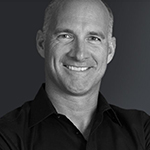
Dr. Stephen Franson has not only built a huge, wellness based Chiropractic practice, but he’s also helped dozens of Chiropractors to do the same thing. He has studied the process of building successful practices and teaches it to Chiropractors from around the globe. Dr. Franson is the founder of The Remarkable Practice where he shares his research and strategies. In this interview he will tell you all about the lifecycle of his practice (a 1,000 visit per week office), and how he closed the “side doors” on his office and converts most of his corrective care patients to longterm family wellness plans. Check out this quick video interview below, and then leave us a comment! For more info on The Remarkable Practice Click Here
