
The Loss that Led Me to Focus on Patient Experience in Chiropractic
In chiropractic school, we are taught to examine, identify problems, create care plans, and to adjust patients. A lucky, or more prepared, few of us may have taken outside seminars to learn about strategies to bring more patients into our office, billing tactics to increase revenue, or practice management techniques. Yet, for all that we learn, the hours and years we put in to become Doctors of Chiropractic, we are never taught the most important part of having a truly successful business. We’re never taught to focus on the patient experience. Just out of chiropractic school, I was no different. I was running what I believed was a successful practice. I was helping a lot of patients and making a lot of money.. At the same time, I was trying to wear too many hats – business owner, staff manager, doctor. Things were falling through the cracks without me knowing until it was too late. I will never forget the day one of my patients came in and told me he was thinking of killing himself. No doctor is every really prepared to hear something like this, much less, a young doctor, still learning. My patient’s name was Chris and he had come to see me for low back pain, something chiropractors see every day. He had received his report of findings, had proceeded with care, and was getting great results and relief from the pain. At his words, I felt shock. I asked what had happened. The story he told me was incredible. After coming to the class that I held for new patients, he had decided to turn his life around. Hearing the chiropractic message and learning how his health affected every aspect of his life as well as his family’s life, he had made a life-changing decision. He quit drinking. He quit drugs. He was going to get healthy for his wife and children and he was going to do it cold-turkey. But now, he felt like taking his own life. After listening to Chris’ story, I was amazed that he had been affected so deeply by the chiropractic message and thankful that he had truly understood it to the point that he was determined to change his health to improve the future for himself and his family. And, I’ll admit, I was proud that my class, my words, had been good enough to change a man’s life. Yet, how could someone who had understood the message on such a deep level now think of killing himself? Chris and I spoke about what he was feeling and how, after the years of punishment his body had been through, it was natural to have difficulty trying to achieve homeostasis again. I explained how the chemicals in his system had been affecting his whole life, including his thoughts and how things were now trying to balance out as his body fought to move toward health. He understood. He got it, just like he did the chiropractic message, and we continued care. Then came the day when I realized that Chris had not been in for a visit in a while. Chris had understood the chiropractic message so completely that he should have been a patient for life. I pulled his chart to find out what had happened. That is when it became clear that once again, something important had fallen through the cracks. Chris had missed appointments, yet we had not followed up with him. His care plan had expired and his billing was not in order. These things that are so vital to patient retention had been missed. I immediately called Chris to find out how he was and to set up an appointment for a follow-up. That is when I found out that Chris was dead. He had taken his own life, just like he had talked to me about. That is when I knew with complete certainty that the systems we had in place were not enough. We tried to call patients who missed appointments, follow-up on care plans, pre-arrange billing with patients, and so many other tasks every single day. Yet, sometimes, my staff became overwhelmed or simply forgot. Other times, they would give up calling a patient who had not responded. And, so many of our systems relied on memory, leaving my staff and I to juggle all of the responsibilities, hoping no one dropped the ball. We only knew to follow-up with patients when I or one of my staff realized someone had not been in to see us for a while. We only knew to check on insurance claims when someone remembered we had not been paid. I knew that other industries used different technologies and software to manage the customer experience. Yet, the Chiropractic profession had no software to manage the Chiropractic patient experience effectively. There were many chiropractic software companies and practice management softwares available. However, not a single one broke down the patient experience into manageable tasks. And, not one offered one simple daily report to let the doctor know whether the necessary tasks had been performed. Instead, they all forced the doctor to wade through piles of reports, to check each individual aspect of the practice, an ineffective and time-consuming chore, at best. To find a solution, I had to go outside of the chiropractic profession, to find out what big businesses use to manage the customer experience. Since that time, I have dedicated myself to finding a better technology to break down and manage every aspect of the patient experience and making it available to chiropractors. And, so that I would never forget the man who first opened my eyes to the necessity of managing the Chiropractic patient experience, I named my son Christian in his honor.
Overcoming Workflow Bottlenecks

Traffic Jams Can running the right reports improve workflow bottlenecks in Dr. Ben’s practice? “Mrs. Wilson!” Pam said, looking up as Carmen came through the door. “Did I hear you talking about me?” Carmen asked her husband playfully. “I was hoping you could come to lunch with me.” “Dr. Ben was talking about our workflow bottlenecks,” Pam put in. “Workflow matters,” Carmen said. “And I think you also should be talking about scalability. Naturally you pay full attention to one patient at a time, but for the sake of the practice you have to be able to look at the big picture and identify the bottlenecks in your workflow.” Pam was silent. “We’re speechless,” Ben said. “I’m glad to see you, of course, but I have no idea what you’re talking about right now.” Pam darted a glance at the patients around them and welcomed a new patient. “Should we be discussing these things in front of them?” she asked quietly when she was free again. “It’s business,” Carmen shrugged. “Your practice is growing because you give your patients excellent care. So you want to continue doing that. How could they object?” She stepped behind the desk and looked over Pam’s shoulder. “For example, can you run a report that shows all the tasks that are coming up tomorrow and who is assigned to do them, and what tasks are still left from today?” “Honey, I don’t think you should be–” Ben began, but Pam stopped him. “I’ll just pull up the list of reports I can run,” she offered. “There’s no sensitive information there.” “There sure are a lot of reports!” Carmen said, her eyes widening. “New Patients, No Shows, No Future Appointments–” “There are lots of patient reports,” Pam agreed, scrolling down the page, “and then we also have things like Inventory, Billing, Patient Balances, Third Party Vendors…” Ben joined them in staring at the screen. “Is that going to help us identify bottlenecks in our workflow?” “I only run a few of them,” Pam admitted. “Mostly, I don’t really know how to set them up the way I want or how to use them once I run them. I think they’re open to interpretation, too, because sometimes they make me think we should do something but the partners don’t agree — sorry, Dr. Ben!” “That’s okay,” he said. “I know what you mean. Often we partners don’t agree with each other, either. It’s like we’re all looking at different information.” “Reports like these are for analysts,” Carmen said firmly, “not for doctors and nurses. You can’t expect to look at a couple hundred lines of a Tasks and Events report and see what you need to do next.” “Plus,” Pam added, “it’s hard for me even to figure out which report to look at. If we’re talking about how smoothly the work goes, I know that a lot of the tasks we do involve multiple aspects of the practice, not just one of the things listed on those pre-made reports.” Ben took his wife’s arm. “We’ll get out of your way now, Pam,” he said, “but thank you for your help.” “How much time do you spend on those reports?” Carmen asked her husband as they walked. “Hardly any,” Ben shrugged. “As Pam said, I don’t really understand how to use them. Plus, I don’t exactly have lots of free time — and I’d rather have lunch with you.” Can running the right reports improve workflow bottlenecks in Dr. Ben’s practice? Disclaimer: For HIPAA compliance, all characters appearing in this post are fictitious. Any resemblance to actual persons or actual events is purely coincidental.
Improving Practice Workflow and Accountability

How can Dr. Ben improve workflow and accountability in his chiropractic practice? Ben smiled reassuringly at his patient, snapped the file closed, and headed to the office. “I think I might need a translator for this patient,” he said. “Of course, Dr. Ben,” Pam assured him, picking up her phone. Ben headed back down the hall with long strides, but when he had finished with the patient, he returned to talk with his office manager. “So, Pam,” he began — and then stopped while she answered a phone call and handed a clipboard of forms to a new patient. “Sorry about that,” Pam smiled. “What can I do for you?” Ben lowered his voice. “Would you say things are going smoothly in the office? I noticed that you were able to provide a translator immediately and it looks as though you have everything under control.” “I pride myself on looking like I have everything under control,” Pam assured him. “And mostly I do, even if sometimes I’m like a duck.” “A duck?” “Gliding along the water on top and paddling like crazy underneath,” Pam laughed. “Seriously, I think things are going pretty well. We have issues. What chiropractic practice doesn’t? But overall it’s good.” “What issues do you see?” Ben pursued the question. “Sometimes we have to search pretty hard to find the information we want,” Pam said promptly. “I’m still waiting for that new software we’ve been talking about.” Ben nodded. “I just haven’t gotten around to it.” “And it would help a lot if staff could really know what their daily workload was going to be. Everyone just comes in and waits for me to tell them what to do. If I don’t have time to tell them anything, they don’t do anything.” Pam’s eyes widened. “I think they’d rather be able to take ownership of their work and get the satisfaction of accomplishing things and being part of the team instead of just hanging around in case they’re needed, but the work just isn’t set up that way.” “The work just doesn’t happen that way,” Ben said. Pam’s face alerted him that he had raised his voice and he lowered it again. “Like the translator — we don’t know ahead of time when we’re going to need him.” Pam looked doubtful. “I’m not so sure that’s true. I mean, it’s not like Mrs. Vargas suddenly didn’t understand. Maybe we should have a note in her file. Maybe we should ask people when we make the appointment. Maybe we could even cluster the appointments of people who might need a particular translator.” Ben frowned. “I feel like we’re getting off track here. Isn’t this just one little thing?” “Yes,” Pam agreed, “but every day is made up of those little things. We do some stop gap thing to solve a problem and after a while it becomes what we do. It’s hard to hold people accountable when they never know what they’ll be accountable for.” “I see your point,” Ben said. “It’s like what my wife calls ‘workflow.’ You’re telling me the work isn’t exactly flowing.” Pam smiled. “I’m not sure that’s what workflow means, exactly, but yes, I guess that’s another way of saying we’re just paddling like crazy under the water.” Disclaimer: For HIPAA compliance, all characters appearing in this post are fictitious. Any resemblance to actual persons or actual events is purely coincidental.
Practice Growth Through Chiropractic Software

First Impressions Does Dr. Ben really know how to run his practice growth? Ben sat on the bench in the museum’s Impressionists room, staring at a giant canvas. His wife and son were strolling around the room, talking about details in the other paintings, and he knew that Carmen was having to focus so much on Jonathan that she probably wasn’t getting the full experience of being in an art museum. But somehow he was having trouble getting out of his own thoughts enough to enjoy time with his family. Even surrounded by amazing works of art, he was thinking about work. “Thinking about work?” Carmen asked, coming to a stop beside him. Jonathan climbed up on his lap. Ben had to laugh — it was uncanny how Carmen could read his thoughts sometimes. Although it seemed as though he was always thinking about work lately. “I guess,” he admitted. “I thought things were going well,” Carmen said, sitting beside him. “They were. They are,” said Ben. “I just feel like every time I get my problems solved, they regroup and come back at me.” Carmen gazed at the flowers on the wall. “Can I be perfectly honest?” “Of course!” Ben was surprised. “Aren’t you always perfectly honest with me?” “I try to strike the balance between honest and supportive.” Carmen darted a look at Ben. Jonathan, worn out from walking, was half asleep. “I think you don’t know as much about running your practice as you need to. Maybe not as much as think you do, even.” Ben frowned. “That’s honest, okay. Maybe not supportive.” “I’m not saying anything about how you treat your patients. I’m just saying it’s not really scalable.” Ben looked inquiringly at his wife. “Managing a small practice where you see a few patients a day is not the same as managing a growing practice. You want growth, of course, and you’re a great chiropractor, so you get more patients — and you have a crisis while you figure out how to serve them all. Then you add a partner or another staff member, and you have a crisis while you figure out how to pay for them and how to manage them. Then you get more patients so there’s enough money to go around, but then you have another crisis figuring out how to keep track of everything. Your practice grows, but you sort of go from crisis to crisis.” Ben looked back at the peaceful flowers in the painting. From crisis to crisis was a pretty fair description of how he felt. “We want growth,” he said. “We need it, even. We have to think about Jonathan’s future — lessons, sports, even college tuition. And we have to think about our retirement, and let’s face it, we want and deserve a certain kind of lifestyle. I don’t think that going back to the way things were my first year in practice is the solution. You’re right, though — I felt a lot more competent back in those days.” “What about the technology solutions we’ve talked about. Have you invested in them, yet?” “We’ve done a few things,” Ben said slowly. Now that he thought of it, though, a lot of the new tools they’d talked about were still being talked about. “I know I couldn’t have handled the growth of the pizzeria if I was trying to make all my pizzas with a bowl and a wooden spoon,” Carmen said. “You need good tools.” She stood and stretched. Ben picked up his sleepy son and put an arm around his wife. “I think I’ve had enough of the Impressionists,” he said. “But what you said definitely has made an impression on me.” “Good,” Carmen smiled. Does Dr. Ben really know how to run his growing practice? Disclaimer: For HIPAA compliance, all characters appearing in this post are fictitious. Any resemblance to actual persons or actual events is purely coincidental.
Chiropractic Software Management Dashboard
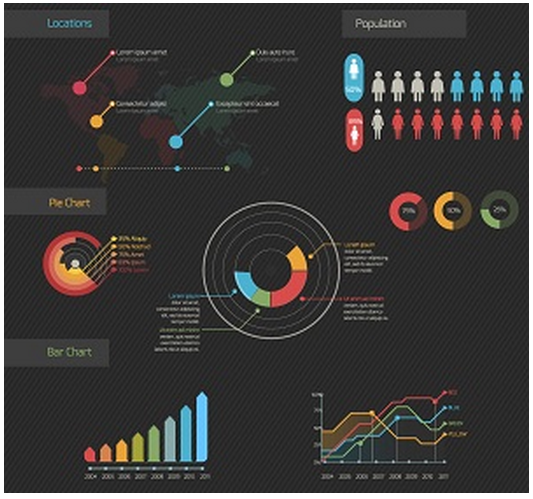
Charting a Course by Dr. Brian Capra Can a dashboard simplify Dr. Ben’s path to his dream practice? Pam’s expression was troubled. “Let me make sure I understand this, Dr. Ben,” she said. Ben smiled at her encouragingly. “You want me to find all this information every week and type it into a spreadsheet.” Ben smiled even harder. “I know it sounds like a lot of extra work,” he said. “I’m convinced that it’ll save us time in the long run, though.” “It’ll be extra work,” Pam agreed, “but I don’t mind that. I’m just not sure you’ve thought this through, if you don’t mind my saying so.” Ben stared. He was prepared for objections to the extra work or the tediousness of the task, but he hadn’t practiced any response to an announcement like this one. “What do you mean?” “Spreadsheets are all very well,” Pam said, “but what are you going to do with that information? We’ll put it all in and print it out and then what?” “We’ll be able to see if no-shows are increasing, for example,” said Ben. He felt himself getting irritated and tried not to show it. “We’ll see if there are things we need to change.” “With no-shows that might work, but what about the big numbers? We might not be able to see a pattern. And what if the numbers just sort of go up and down? What if there really isn’t any pattern?” Ben frowned. “We don’t have to print it out. We can leave it on the screen, and that way we can always do calculations or insert a chart if we need to.” “But we have nine different things we’re watching. If we look on the screen, after a couple of months we won’t be able to see the labels any more.” “You can fix that in Excel, right?” “I don’t know,” Pam said, opening her eyes wide. “I don’t think I even know how to do calculations in spreadsheets. I never took that kind of class.” Ben had never taken that kind of class, either. But he knew who had. “Just a moment,” he said to Pam, and he returned to his office. When Ben emerged later, he returned to the question of the spreadsheets with Pam. “We don’t need spreadsheets. We need a dashboard,” he said firmly. Pam nodded. “We need a dashboard that shows all the information to us in a simple, visual way so that it makes as much sense to us as X-rays do.” Pam was smiling now, too. “We need a dashboard that will not just show us the numbers. There are different kinds of charts that make the relationships within information clear. Like radar charts, which are kind of like spider webs showing how different pieces of information compare or connect. And trend charts, which show how something changes over time. And histograms–” “Have you been talking to your wife?” Pam asked. “I married a woman with a business degree, I admit,” said Ben, smiling. “The point is, we’re not back in the 20th century when we had to rely on spreadsheets. So instead of taking extra time to fill in the spreadsheets, please find an integrated system that will capture all the data and create a simple, friendly user interface that will make sense to us right away… or as soon as possible.” Dr. Ben got ready for his next patient. He felt sure that they were on track, even if he had gotten distracted by spreadsheets. Can a dashboard simplify Dr. Ben’s path to his dream practice? Disclaimer: For HIPAA compliance, all characters appearing in this post are fictitious. Any resemblance to actual persons or actual events is purely coincidental.
Ripe for Success

Software solution promises to be the “secret ingredient” By Kathleen Casbarro Will Ben’s new tech solution lead to the perfect outcome? “So…?” Carmen asked with an upward lilt that made it into a question, “how’s the documentation going?” “Thanks for asking,” Ben said, dropping a kiss on her nose. “I think it’s going to be good. You know I’ve been going back and forth a bit on how to approach the need for greater specificity in our documentation.” Carmen rolled her eyes. “I’d noticed. But I can see why, too. It’s hard to know exactly what you need to do and what the consequences are likely to be.” “Turns out the new software we’ve been looking at has an internal auditing process. Basically, I think we can work with the coaches to find out just how we can use our documentation to build the right ICD-10 codes, and actually try it out and see how far we are from perfection.” “And if you’re not quite perfect, you’ve got some time to work on it.” “Exactly. We’ll be able to see what practices we don’t yet have in place. We won’t be taking a shot in the dark and hoping we’re on the right track.” Mike sniffed. “Is that sauteed mushrooms I’m smelling?” “Yes. Mushroom ravioli tonight, with a fresh marinara sauce and garlic bread. Just a little good home cooking.” “Very good home cooking. Can I help?” “Come keep me company while I add a little squeeze of lemon.” Ben followed Carmen into the kitchen, where their son was already sitting at the table coloring. “I really feel like things are coming together,” he told his wife as he ruffled his son’s hair. “Just having a clear plan and a clear goal makes all the difference.” Carmen beamed.Ben held up his hands in mock protest. “Are you about to tell me some special way in which this reminds you of pizza?” “Not at all.” Carmen busied herself plating the ravioli and ladling on sauce. “I could however say that it’s like having a great recipe and setting out all the ingredients, measured and ready, before you begin to cook.” She added a slice of toasted garlic bread on each plate. “That’s the way you get a perfect outcome. It’s not that you don’t have work to do, but you have it all laid out clearly, so success is easier.” “I’ll take that,” Ben smiled. Will Dr. Ben’s new tech solution lead to the perfect outcome? Everything that we have published about ICD-10 can be found on our ICD-10 page.
Seeking Direction

By Kathleen Casbarro For ICD-10 transition, It’s Essential to Choose the Right Path Should Ben start practicing the new style of documentation long, or wait until he has to do it? “It’s great that you’re not experiencing pain any longer,” Ben told his last patient of the day, “but remember to come in for regular adjustments and keep it that way.” The young woman hefted her tote bag and stepped through the door. “I know I should, but somehow if I’m not having any pain I don’t make the time.” Ben commiserated. “Let’s go ahead and make your appointment now,” he suggested. “That way you’ll have that part done. Pam, can you help Sheila?” “Of course!” Pam took over with a warm smile.Ben understood what his patient meant. He had been trying all day to get used to the new clinical documentation he’d have to be using once the shift to ICD-10 codes took place. He had tried to note which side of the body each issue involved and to write notes with the level of specificity the new system would demand. It hadn’t been hard at first, but it had been a busy day. As patients mounted up and he and Pam skillfully navigated through a day filled with surprises as well as scheduled events, it got harder to take the time for the new style of documentation — and easier to fall back on the old system he found so comfortable. After all, it really wasn’t a problem right now if he skipped the notes on laterality or wrote something with less detail. The pain wouldn’t come up till later, so it was tempting to just wait till later to make the changes. In fact, Ben mused as he moved through his end-of-day routine, making the changes now was actually causing some pain. It was slowing him down a bit, distracting him from his key priorities, and probably irritating Pam and the rest of the team. Was it better to get a head start on it now, possibly lessening the pain of the transition in October but also perhaps lengthening the amount of time there’d be pain in the office? Or should he wait till closer to the time? In fact, maybe the best solution would be to do his documentation in the usual way and pass those on to Pam and the team, but then also to produce a second set of notes that would provide enough detail for the new set of codes? But then, Pam and the rest of the team wouldn’t benefit from the head start he would be getting. Ben suddenly realized he had been standing frozen in thought, one hand holding his car keys out in front of him and the other reaching for the door, for — well, an embarrassingly long time if anyone had happened to be looking. He shook his head and got back in motion. It was hard to know the right thing to do, that was all there was to it. Should Ben start practicing the new style of documentation, or wait until he has to do it? Visit our ICD-10 page to learn how ICD-10 diagnosis codes have been built into Genesis Chiropractic Software.
Chiropractic EHR Software | Symmetry Spine and Wellness Center Dream Practice of the Month

Dr. Cynthia Boyd knows how to build a chiropractic dream practice: it takes hard work, a concerted team effort, and the expertise of Genesis chiropractic software and billing staff. “I have my dream practice,” says Dr. Boyd. “There are not many areas that need improvement.” The key to success for Dr.Boyd is balancing all aspects of practice management using Genesis cloud-based chiropractic software: “The [Genesis] system is amazing. I was 3,000 miles away for a month and I knew exactly what was going on.” Dr. Boyd doesn’t have time to micromanage her staff. With Genesis, she can easily track everyone’s individual performance anytime from anywhere. Dr. Boyd can also keep an eye on vital Key Performance Indicators, such as chiropractic billing, with the Genesis Radar. Best of all, Dr. Boyd does not have to change the way she runs her practice to optimize her workflow, complete her patient SOAP notes, and control compliance. As Dr. Boyd keeps growing her practice, she uses Genesis workflow engine to help manage teamwork among her staff and Genesis support team. The staff at Symmetry Spine and Wellness Center keeps the AR past 120 days low at 8 percent by consistently clearing the claims workbench while the weekly phone communications with her Practice Success Coach Heather Miller ensure her practice gets paid in full and on time. Coach Heather Miller: “Dr. Boyd is passionate about what she does and her business. She has found a balance with her practice and all of the other projects that she works on. Dr. Boyd trusts her employees to do their jobs without having to micromanage them. She has a great staff that works well together to get the job done and continue to grow the practice. In the end it all comes down to teamwork.”
Genesis Chiropractic EHR | New user tip #1 – Practice makes perfect

By Lisa Ogden ~ Profitability Coach for Genesis You can achieve success with the Genesis Chiropractic EHR system and build your dream practice when you and your staff complete the recommended training prior to going live. Chiropractors who wait until they actually see patients to learn the system “on the go” commonly run into the following 4 problems: Frustration: Not being able to use something when you most need it can be very frustrating for anyone. Even more so when your livelihood depends on it. Wasted time: Without establishing a level of comfort, documenting a patient visit can take much more time than Genesis is designed for. Compliance issues: Very similar to the paperwork that might be piling up on your desk, not getting to know your Genesis system can often result in incomplete and/ or unsigned SOAP notes. Unsigned notes are a major compliance or audit risk. Delayed payments: Payers don’t submit payment for incomplete or unsigned notes. The good news is that these four issues do not occur for practices that take the following 4 steps PRIOR to going live with their Genesis platform: Step 1: Participate in live online training session with Genesis staff: Our staff will walk you through proper visit documentation, step by step. Step 2: Create mock patient accounts: Spend time documenting several test patient visits including note sign-off and claim submission. Document the type of visits that are common for your practice. Document initial and follow up visits. Initial visit documentation will obviously take more time than follow up. You should be shooting for under 2 minutes for documenting initial and 10 seconds for most follow up visits. Step 3: Customize your Genesis platform: After you have spent some time getting to know your new platform, you may discover that minor customization is needed to improve efficiency. Schedule a second live training session to learn how easy it is to improve your user experience with customization. Step 4: Practice documenting: Now that you have made some minor tweaks to your documentation platform its time to practice documenting again to ensure you have everything set the way you want it. Your goal should be to document a visit, sign off on your notes, and submit a claim while the patient is still in your office. If you haven’t achieved this level of efficiency yet, it is important to contact your profitability coach and discover what might be holding you back. Take the time to get to know your new platform to eliminate frustration and achieve the top tier performance you are looking for with your chiropractic EHR.
Optimize your Chiropractic Office Workflow with Custom EHR software
Do you feel anxiety because your chiropractic Electronic Health Record system doesn’t match your clinic’s workflow? Your productivity can suffer if your documentation and forms are not integrated into your clinic’s workflow. And if your EHR software does not match your workflow your clinic’s profitability will also take a hit since you don’t get paid for documenting. Updating your chiropractic software for the ever-changing documentation requirements can be just as costly as customizing your forms since those need to be distinctive for your specialty and practice. Aside from those financial aspects, you also need an EHR system that is easy to use since you don’t have time to learn new software or enhance your limited technological skills. Ideally, your system should help you streamline your office and save you time on documentation. Features like scoring and computation should be included for increased accuracy of your patient documentation. Genesis chiropractic EHR increases efficiency and ease of use for you with customization options to match your clinic’s unique needs. You can make our EHR documentation (xDocs) entirely your own by integrating your old forms and practice logo. You can save time by using checkboxes and auto-population of patient data when creating new notes for existing patients. All new forms are automatically and instantly tied to your patient database. Best of all, you can create them while still table-side with your patient instead of having to catch up on documentation after office hours. You can also have your patients fill out their intake forms at your clinic’s patient kiosk to speed up and improve patient data collection. Genesis EHR Documentation (xDocs) also includes insurance verification forms, chiropractic notes, and a specialized package for chiropractors: the Chiropractic Bio Physics Suite. Contact your Profitability Manager to activate your xDocs within your Genesis EHR system.
